Schritt 1: Finden Sie Ihren Tinnitus-Ton
(zum Erweitern klicken)
Wenn Sie ein iPhone verwenden, stellen Sie sicher, dass der Klingelschalter eingeschaltet ist (Schalter an der Seite). Bevor Sie Ihren Tinnitus behandeln, müssen Sie die Frequenz Ihres Tinnitus-Tons identifizieren.
Wenn sich Ihre Tinnitus-Frequenz während der Behandlung ändert, können Sie hierher zurückkehren, um sie erneut zu erkennen.
- Verbinden Sie an einem ruhigen Ort Ihre Kopfhörer mit Ihrem Gerät. Setzen Sie sie über Ihre Ohren.
- Stellen Sie die Lautstärke vor Beginn auf ein niedriges Niveau ein.
- Klicken Sie auf die Schaltfläche Abspielen, um den computergenerierten Ton des Programms anzuhören.
- Wählen Sie im Dropdown-Menü Wellentyp den Ton aus, der der Qualität Ihres Tinnitus-Tons am nächsten kommt.
- Bewegen Sie den Schieberegler hin und her, bis die Frequenz des Tons mit Ihrem Tinnitus-Ton übereinstimmt.
- Sobald Sie den computergenerierten Ton mit Ihrem Tinnitus-Ton abgeglichen haben, klicken Sie auf Therapie erstellen.
HINWEIS: Sie können die Lautstärke über die Lautstärkeregelung Ihres Computers und/oder den Lautstärkeregler in der App einstellen.
HINWEIS: Wenn Sie Ihre Frequenz bereits in einer Audiologie-Klinik bestimmt haben, geben Sie sie in das Frequenzfeld ein.
Haben Sie Probleme? Sehen Sie sich unseren Abstimmungsleitfaden, die Video-Anleitung oder unsere zusätzlichen Tipps unten an.
Video-Anleitung
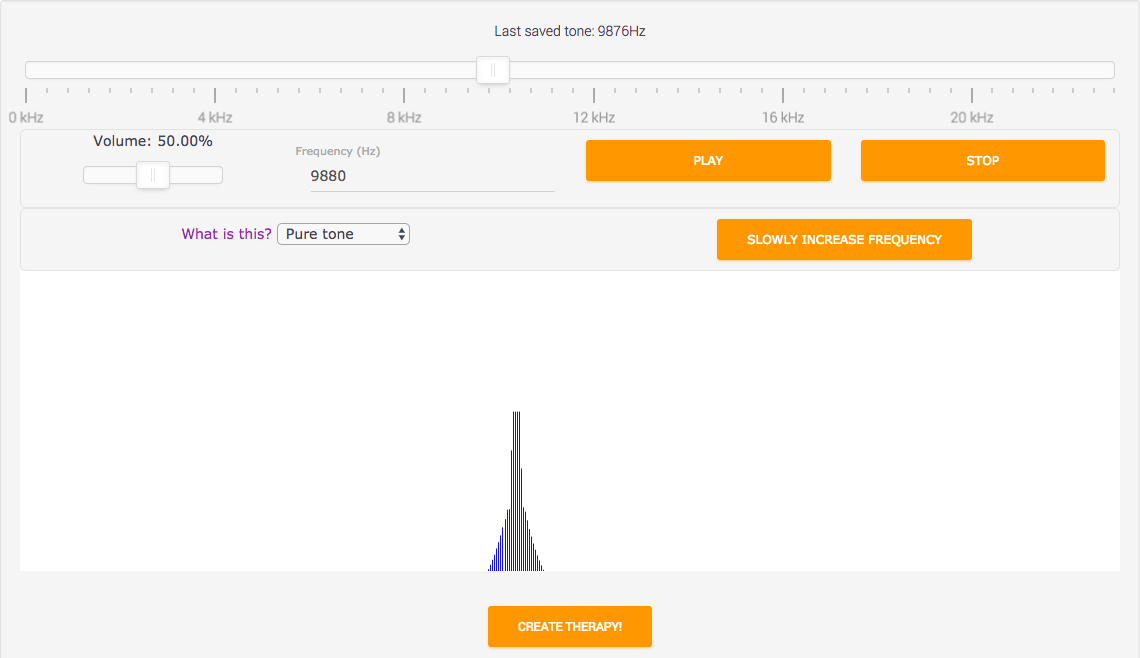
Wenn Sie Probleme haben, den Ton zu hören, versuchen Sie den Google Chrome-Browser.
Klicken Sie auf Abspielen
Um den computergenerierten Tinnitus-Ton zu hören, klicken Sie auf die Schaltfläche ABSPIELEN. Senken Sie vorher die Lautstärke. Erhöhen Sie die Lautstärke langsam, bis der generierte Ton ungefähr die gleiche Lautstärke wie Ihr Tinnitus-Ton hat.
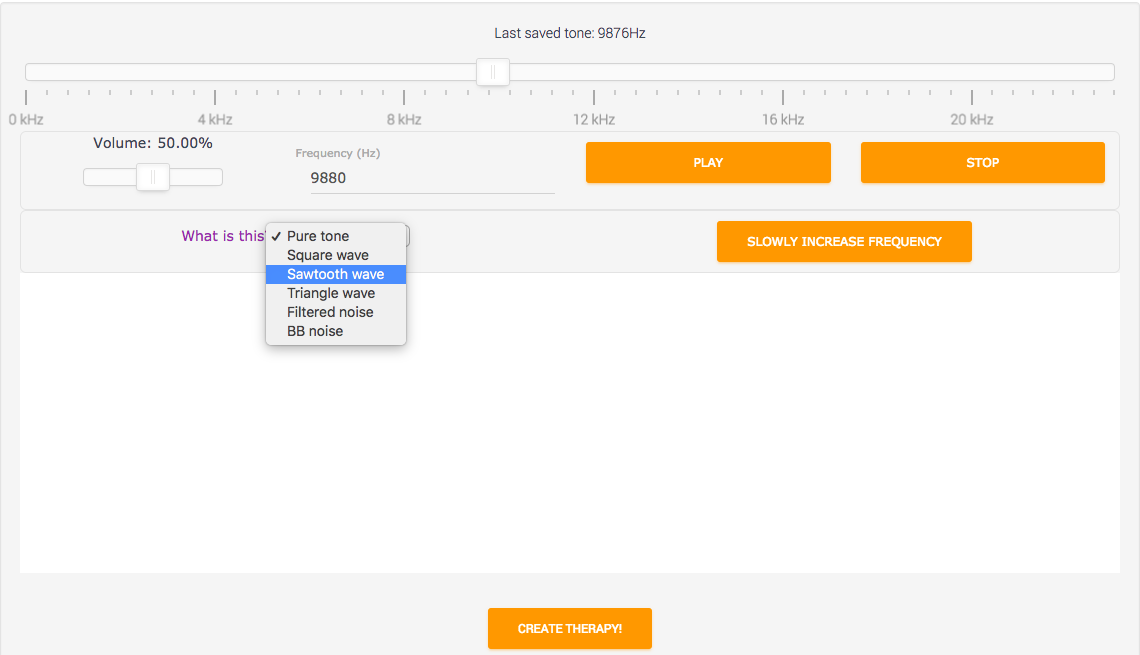
Versuchen Sie, die allgemeine Qualität Ihres Tinnitus-Tons mit einer unserer Optionen abzugleichen.
Gleichen Sie die Qualität Ihres Tinnitus-Tons ab
Tinnitus-Töne gibt es in verschiedenen Kategorien. Einige klingen wie ein hochfrequentes "eeeeee" (wie das "Reiner Ton"-Beispiel) und andere klingen wie ein Rauschen (wie das "BB-Rauschen"-Beispiel). Um verschiedene Arten von Tinnitus-Tönen anzuhören, wählen Sie das Dropdown-Menü neben "Wellentyp" - klicken oder tippen Sie auf den Text
Sie müssen Ihren Tinnitus-Ton nicht perfekt abgleichen.
Gleichen Sie die Frequenz Ihres Tinnitus-Tons ab
Versuchen Sie, den von AudioNotch erzeugten Tinnitus-Ton mit Ihrem eigenen Tinnitus-Ton abzugleichen. Die Übereinstimmung muss nicht perfekt sein – eine ungefähre Übereinstimmung reicht aufgrund der Fehlertoleranz aus.
Sie können den Schieberegler manuell mit der Maus, den Pfeiltasten oder durch Eingabe einer Zahl in das weiße Feld und Drücken der Abspielen-Taste anpassen.
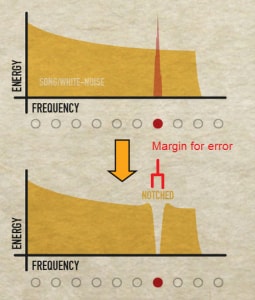
Wenn Sie "Reiner Ton"-Tinnitus haben, ist es in Ordnung, solange Ihre Tinnitus-Frequenz innerhalb der Kerbe liegt.
Wie genau muss die Übereinstimmung sein?
Sie müssen keine perfekte Übereinstimmung finden. Angenommen, Sie haben einen „Reinton“-Tinnitus (der wie eine reine Sinuswelle oder ein sauberes Pfeifen oder Summen klingt), dann ist es ausreichend, wenn Ihre „Übereinstimmung“ innerhalb der „Kerbe“ liegt.
Die Kerbbreite beträgt zwei äquivalente Rechteckbandbreiten (ERB). Die ERB hängt von der Frequenz ab. Wenn Ihre Tinnitusfrequenz also 10.000 Hz (10 kHz) beträgt, ist die ERB ungefähr 1000 Hz, was bedeutet, dass Sie auf 1000Hz an Ihre wahre Tinnitusfrequenz herankommen müssen.*
* (ERB = 107.94*f +24.7 = 107.94*10 + 24.7 = 1104 Hz).
Versuchen Sie, die allgemeine Qualität Ihres Tinnitus-Tons mit einer unserer Optionen abzugleichen.
Moment, was ist Oktavverwirrung?
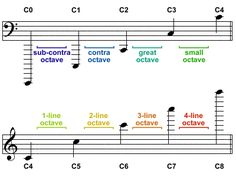
Sobald Sie Ihre Frequenz gefunden haben, ist es aufgrund eines Phänomens namens "Oktavverwirrung" möglich, dass Sie nicht die richtige Frequenz gefunden haben.
Finden Sie Ihre Tinnitus-Frequenz F, die Sie für Ihren Tinnitus-Ton halten.
- Vergleichen Sie dann F mit 1/2F
- Vergleichen Sie schließlich F mit 2F
Wählen Sie die beste Übereinstimmung aus den Optionen 1-3, und Sie haben sichergestellt, dass Sie keine "Oktavverwirrung" erlebt haben, die versehentlich zu einer falschen Frequenzübereinstimmung führen könnte.
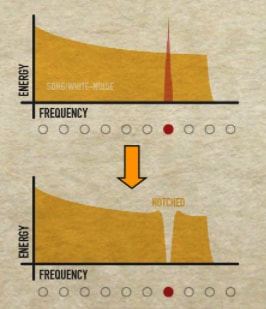
Es kann nur eine Kerbe gleichzeitig erstellt werden.
Was, wenn ich mehrere Tinnitus-Töne habe?
Notched Therapy wurde nur entwickelt, um jeweils einen Tinnitus-Ton zu behandeln. Daher können wir nicht behaupten, dass mehrere Töne auf Basis der vorhandenen Belege behandelbar sind. Wenn Sie möchten, ist es möglich, einen Track mit mehreren Kerbfiltern zu erstellen, aber es gibt zusätzliche Einschränkungen.
Nehmen wir an, Sie haben zwei Tinnitus-Töne t1 und t2 bei zwei verschiedenen Frequenzen, f1 und f2. Um eine Notched-Sound-Therapy-Datei mit mehreren Kerbfiltern zu erstellen:
- Kerben Sie weißes Rauschen bei der ersten Frequenz, f1.
- Laden Sie die MP3-Datei von "Weißes Rauschen - gekerbt bei f1" herunter.
- Laden Sie die Datei aus Schritt (2) als "Song" hoch.
- Kerben Sie den Song bei f2, um einen zweiten Kerbfilter bei f2 zu erstellen.
- Die Datei ist jetzt bei f1 und f2 gekerbt.
- Wiederholen Sie den Vorgang bei Bedarf für weitere Tinnitus-Frequenzen f3, f4, usw...
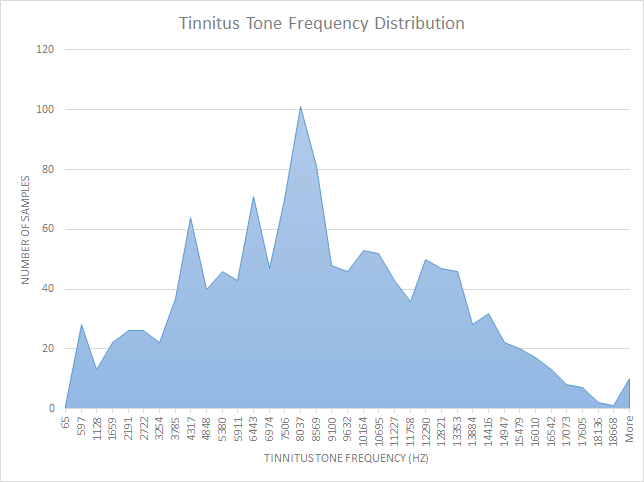
Tinnitus-Frequenzen scheinen einer Normalverteilung innerhalb des menschlichen Hörbereichs zu folgen.
Was sind die häufigsten Tinnitus-Frequenzen?
Wir haben eine Grafik der Tinnitus-Frequenzen der Benutzer und deren Häufigkeit erstellt. Lesen Sie hier mehr.
Was ist gefilterte Klangtherapie?
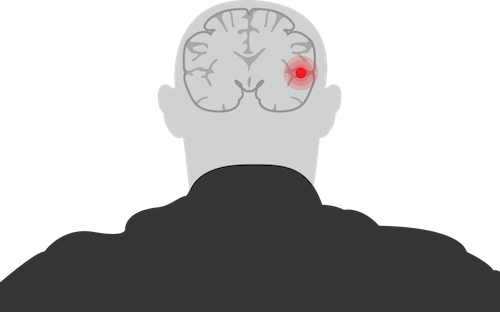
Für die meisten Menschen ist Tinnitus ein Geräusch, das fälschlicherweise vom Gehirn erzeugt wird. Dies geschieht normalerweise, weil das Gehirn versucht, einen Hörverlust auszugleichen.
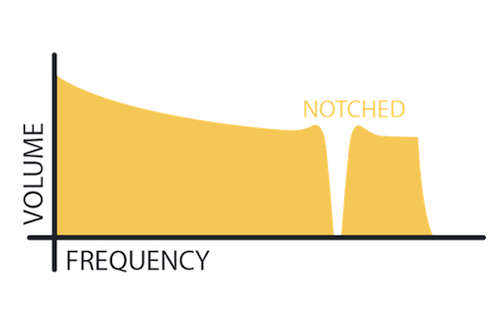
Das "Kerben" von Klang senkt die Lautstärke bei einer bestimmten Frequenz. Notched Sound Therapy ist Audio, das bei Ihrer Tinnitus-Frequenz "gekerbt" wurde.
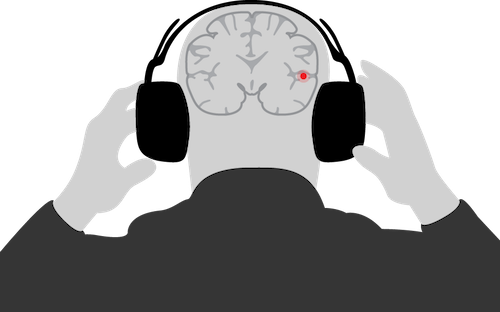
Gekerbte Klänge helfen, den Anpassungsfehler Ihres Gehirns rückgängig zu machen. Dadurch kann Notched Sound Therapy die Lautstärke Ihres Tinnitus senken.
Für eine vollständige Erklärung der Wissenschaft klicken Sie hier.
Wie funktioniert AudioNotch?

Schritt 1: Einstellen
Verwenden Sie unseren Tuner, um die Frequenz Ihres Tinnitus-Tons abzugleichen.
Der Tuner ist auf unserer Website und in unserer App kostenlos.

Schritt 2: Erstellen
Erstellen Sie "Notched Sound Therapy" mit unseren voreingestellten Klängen oder Ihrer eigenen Musik.
AudioNotch "kerbt" dieses Audio für Sie.

Schritt 3: Anhören
Hören Sie Ihre "Notched Sound Therapy" täglich.
Über Wochen bis Monate sollte Ihre Tinnitus-Lautstärke abnehmen.
Sie können Ihre Therapie überall hören, wo Sie möchten.