Stap 1: Vind uw tinnitustoon
(klik om uit te vouwen)
Als u een iPhone gebruikt, zorg ervoor dat de belsschakelaar aan staat (schakelaar aan de zijkant). Voordat u uw tinnitus behandelt, moet u de frequentie van uw tinnitustoon identificeren.
Als uw tinnitusfrequentie verandert tijdens de behandeling, kunt u hier terugkomen om deze opnieuw te detecteren.
- Sluit op een rustige plaats uw koptelefoon aan op uw apparaat. Plaats ze over uw oren.
- Stel het volume in op een laag niveau voordat u begint.
- Klik op de knop Afspelen om naar de computergegenereerde toon van het programma te luisteren.
- Selecteer in het dropdown-menu Golftype de toon die het best overeenkomt met de kwaliteit van uw tinnitustoon.
- Beweeg de schuifregelaar heen en weer totdat de frequentie van de toon overeenkomt met uw tinnitustoon.
- Zodra u de computergegenereerde toon hebt afgestemd op uw tinnitustoon, klikt u op Therapie maken.
OPMERKING: U kunt het volume instellen met de volumeknop van uw computer en/of de volumeschuifregelaar in de app.
OPMERKING: Als u uw frequentie al heeft bepaald in een audiologische kliniek, voer deze dan in het frequentieveld in.
Heeft u problemen? Bekijk onze Afstemmingsgids, video-uitleg, of onze extra tips hieronder.
Video-uitleg
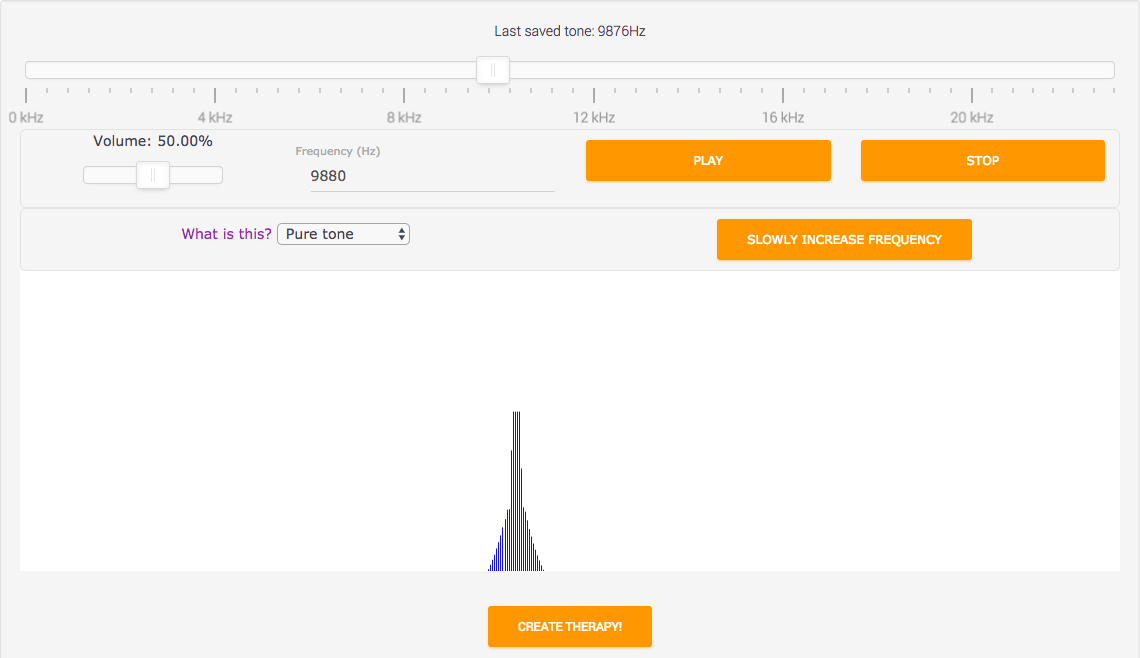
Als u moeite heeft om de toon te horen, probeer dan de Google Chrome-browser.
Klik op Afspelen
Om de computergegenereerde tinnitustoon te beluisteren, klikt u op de knop AFSPELEN. Verlaag eerst het volume. Verhoog het volume langzaam totdat de gegenereerde toon ongeveer even luid is als uw tinnitustoon.
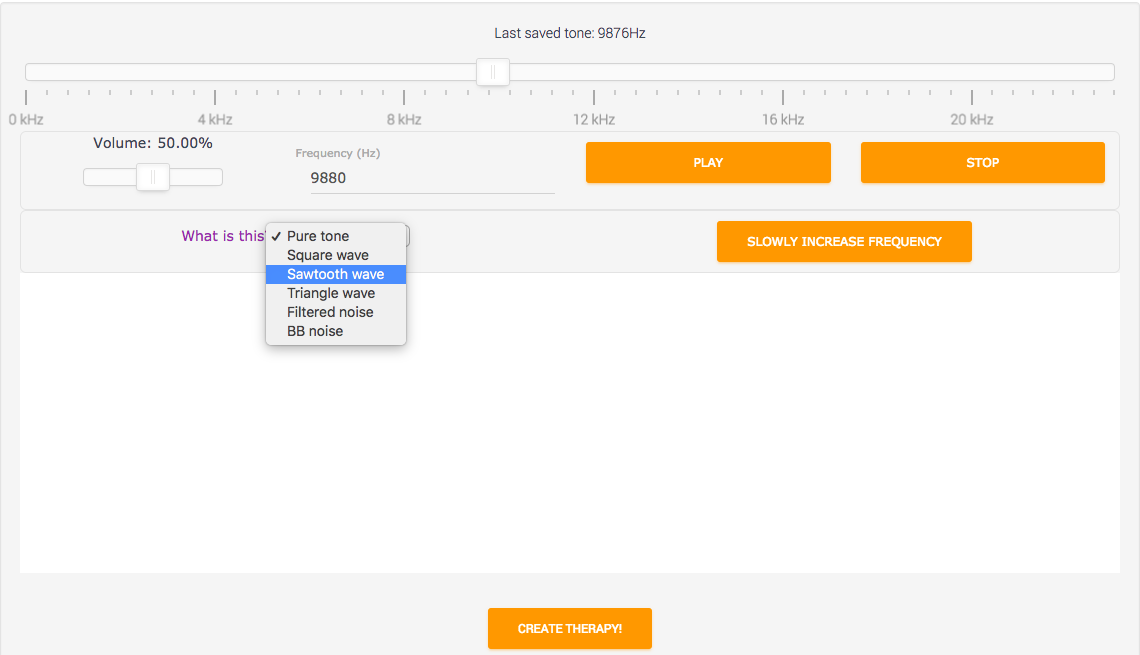
Probeer de algehele kwaliteit van uw tinnitustoon te matchen met een van onze opties.
Match de kwaliteit van uw tinnitustoon
Tinnitustonen komen in verschillende categorieën. Sommige klinken als een hoge "eeeeee" (zoals het "zuivere toon" voorbeeld) en andere klinken als geruis (zoals het "BB-ruis" voorbeeld). Om verschillende soorten tinnitustonen te beluisteren, selecteert u het dropdown-menu naast "Golftype" - u kunt klikken of tikken op de tekst
U hoeft uw tinnitustoon niet perfect te matchen.
Match de frequentie van uw tinnitustoon
Probeer de door AudioNotch gegenereerde tinnitustoon te matchen met uw eigen tinnitustoon. De match hoeft niet perfect te zijn – een benadering volstaat vanwege de foutmarge.
U kunt de schuifregelaar handmatig aanpassen met de muis, de pijltoetsen, of door een getal in het witte veld in te voeren en op de afspeelknop te drukken.
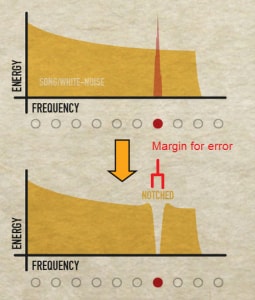
Als u "zuivere toon" tinnitus heeft, is het voldoende als u uw tinnitusfrequentie binnen de notch matcht.
Hoe dichtbij moet ik zijn?
U hoeft geen perfecte overeenkomst te vinden. Ervan uitgaande dat u een 'zuivere toon'-tinnitus heeft (die klinkt als een zuivere sinusgolf, of een helder fluit- of zoemgeluid), dan is het voldoende dat uw 'overeenkomst' binnen de 'inkeping' valt.
De breedte van de inkeping is twee equivalente rechthoekige bandbreedtes (ERB). De ERB is afhankelijk van de frequentie; als uw tinnitusfrequentie dus 10.000 Hz (10 kHz) is, is de ERB ongeveer 1000 Hz, wat betekent dat u binnen 1000Hz van uw werkelijke tinnitusfrequentie moet komen.*
* (ERB = 107.94*f +24.7 = 107.94*10 + 24.7 = 1104 Hz).
Probeer de algehele kwaliteit van uw tinnitustoon te matchen met een van onze opties.
Wacht, wat is octaafverwarring?
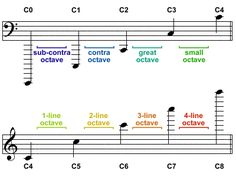
Zodra u uw frequentie heeft gevonden, is het door een fenomeen genaamd "octaafverwarring" mogelijk dat u niet de juiste frequentie heeft gevonden.
Vind uw tinnitusfrequentie F, waarvan u denkt dat het uw tinnitustoon is.
- Vergelijk vervolgens F met 1/2F
- Vergelijk ten slotte F met 2F
Kies de beste match uit opties 1-3, en u heeft gecontroleerd dat u geen "octaafverwarring" heeft ervaren, wat per ongeluk tot een onjuiste frequentiematch zou kunnen leiden.
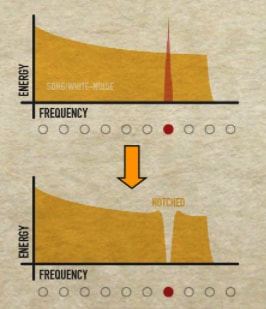
Er kan slechts één notch tegelijk worden gemaakt.
Wat als ik meerdere tinnitustonen heb?
Notched therapie is alleen ontworpen om één tinnitustoon tegelijk te behandelen. Daarom kunnen wij op basis van het beschikbare bewijs niet beweren dat meerdere tonen behandelbaar zijn. Als u wilt, is het mogelijk om een track met meerdere notches te maken, maar er zijn aanvullende kanttekeningen.
Stel dat u twee tinnitustonen t1 en t2 heeft op twee verschillende frequenties, f1 en f2. Om een Notched Sound Therapy-bestand met meerdere notches te maken:
- Notch witte ruis op de eerste frequentie, f1.
- Download het MP3-bestand van "White Noise - Notched at f1."
- Upload het bestand uit stap (2) als een "song."
- Notch het nummer op f2 om een tweede notch op f2 te creëren.
- Nu is het bestand genotcht op f1 en f2.
- Herhaal indien nodig voor extra tinnitusfrequenties f3, f4, enz...
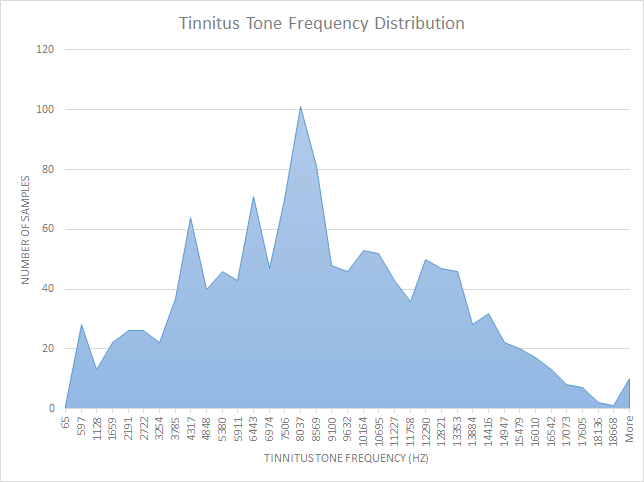
Tinnitusfrequenties lijken een normale verdeling te benaderen binnen het bereik van het menselijk gehoor.
Wat zijn de meest voorkomende tinnitusfrequenties?
We hebben een grafiek samengesteld van tinnitusfrequenties van gebruikers en hoe vaak elke frequentie voorkwam. Lees hier meer.
Wat is geluidstherapie met notch-filter?
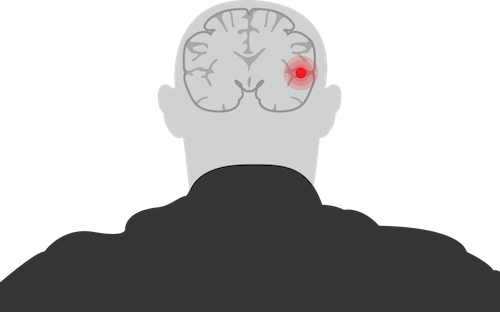
Voor de meeste mensen is tinnitus een geluid dat per ongeluk door hun hersenen wordt gecreëerd. Dit gebeurt meestal omdat de hersenen proberen te compenseren voor gehoorverlies.
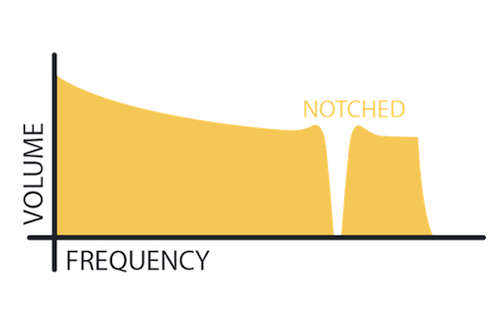
"Notching" van geluid verlaagt het volume op een specifieke frequentie. Notched Sound Therapy is audio die is "genotcht" op uw tinnitusfrequentie.
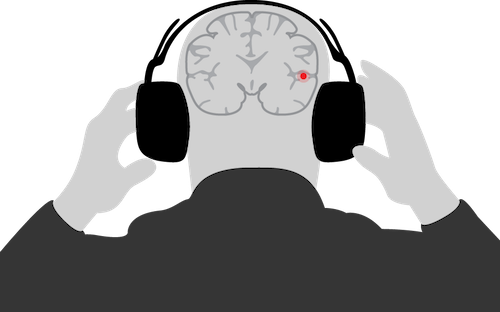
Genotchte geluiden helpen de aanpassingsfout van uw hersenen om te keren. Als gevolg daarvan kan Notched Sound Therapy het volume van uw tinnitus verlagen.
Voor een volledige uitleg van de wetenschap, klik hier.
Hoe werkt AudioNotch?

Stap 1: Afstemmen
Gebruik onze tuner om de frequentie van uw tinnitustoon te matchen.
De tuner is gratis te gebruiken op onze website en in onze app.

Stap 2: Aanmaken
Maak "Notched Sound Therapy" met onze vooraf ingestelde geluiden of uw eigen muziek.
AudioNotch "notcht" deze audio voor u.

Stap 3: Luisteren
Luister dagelijks naar uw "Notched Sound Therapy".
Over weken tot maanden zou uw tinnitusvolume moeten afnemen.
U kunt overal naar uw therapie luisteren.